Relay files.
Not limits.
Send photos, videos and documents straight from one device to another. Encrypted end to end, no account, and nothing kept on a server.
On iPhone or iPad, open Relay in Safari, tap Share, then Add to Home Screen.
On Android, the app is a 2.5 MB download. Chrome will ask you to allow it, because it isn’t from the Play Store yet.
On a computer, Relay runs in Chrome, Edge or Safari. To get it on your phone, scan a code under Get Relay.
Relay is invite only while we test. Got a code? Enter it on the first screen. No code? Open Relay and tap Request an invite.
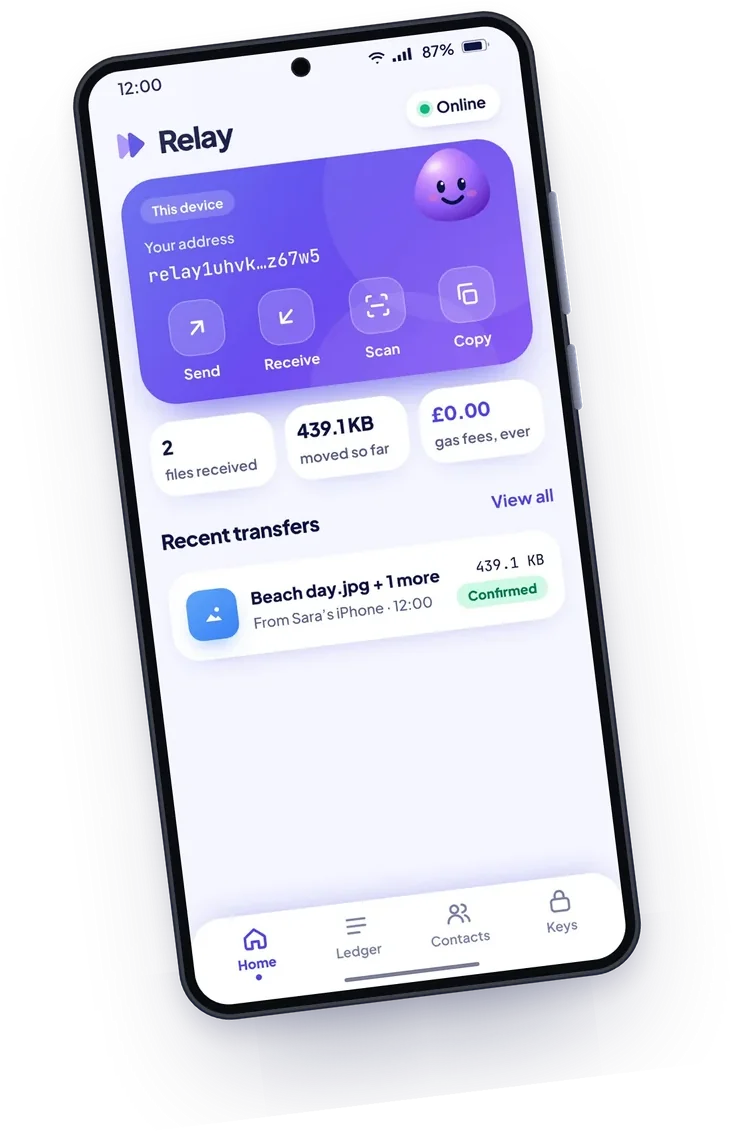
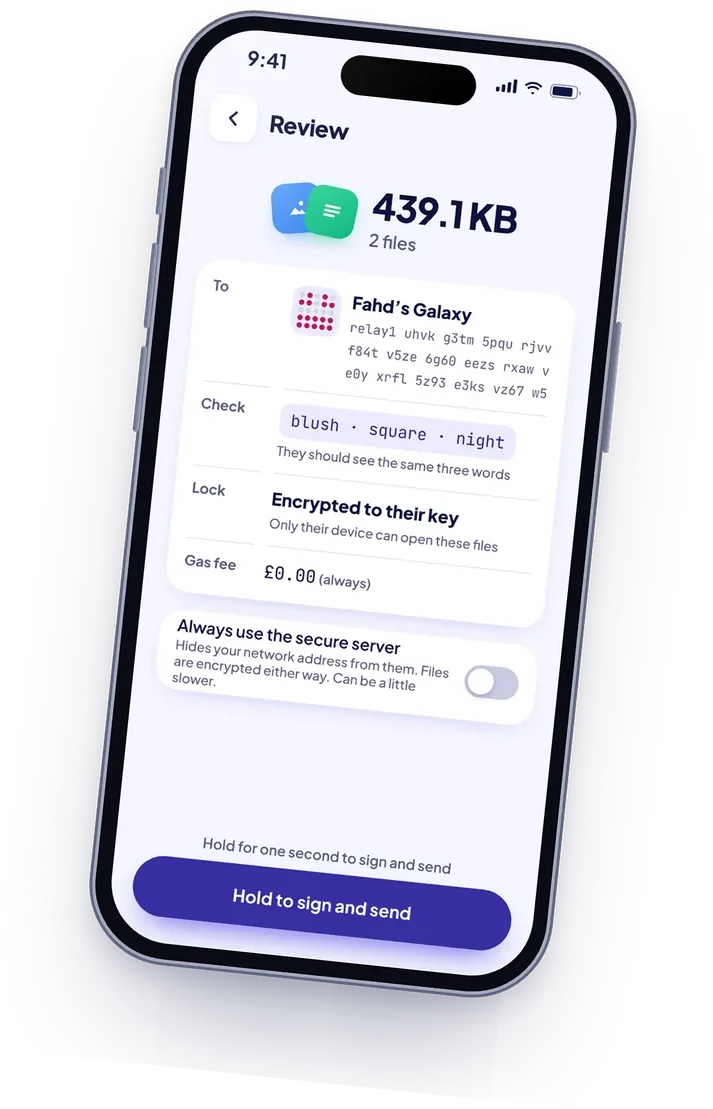
From your phone to theirs, in three steps
Here an iPhone sends to a Samsung Galaxy. Keep Relay open on both until it’s done.
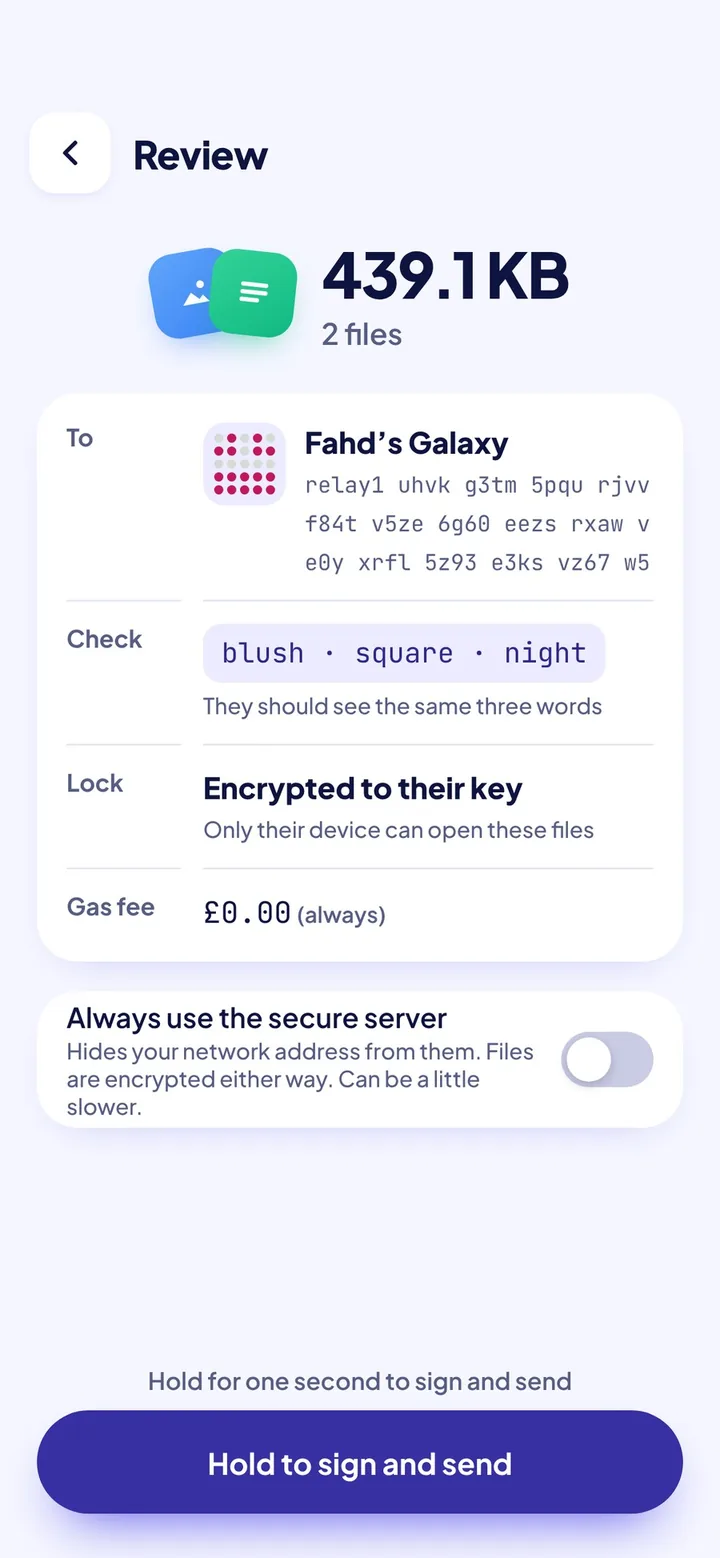
Send
Pick a saved contact, paste an address or scan their QR code. Choose files, check them over, then hold the button for a second.
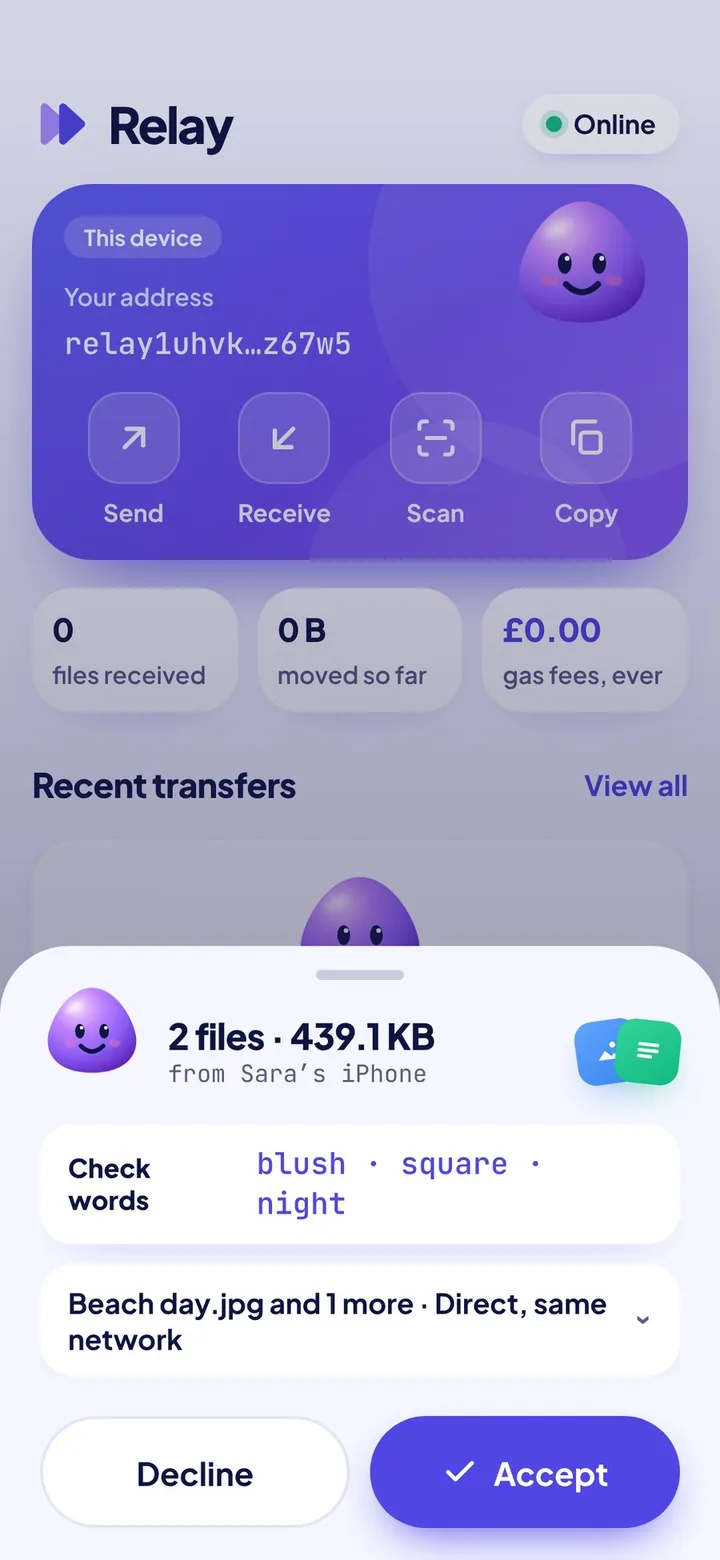
Check the three words
Both phones show the same three words. If they match, it really is them, so they tap Accept.
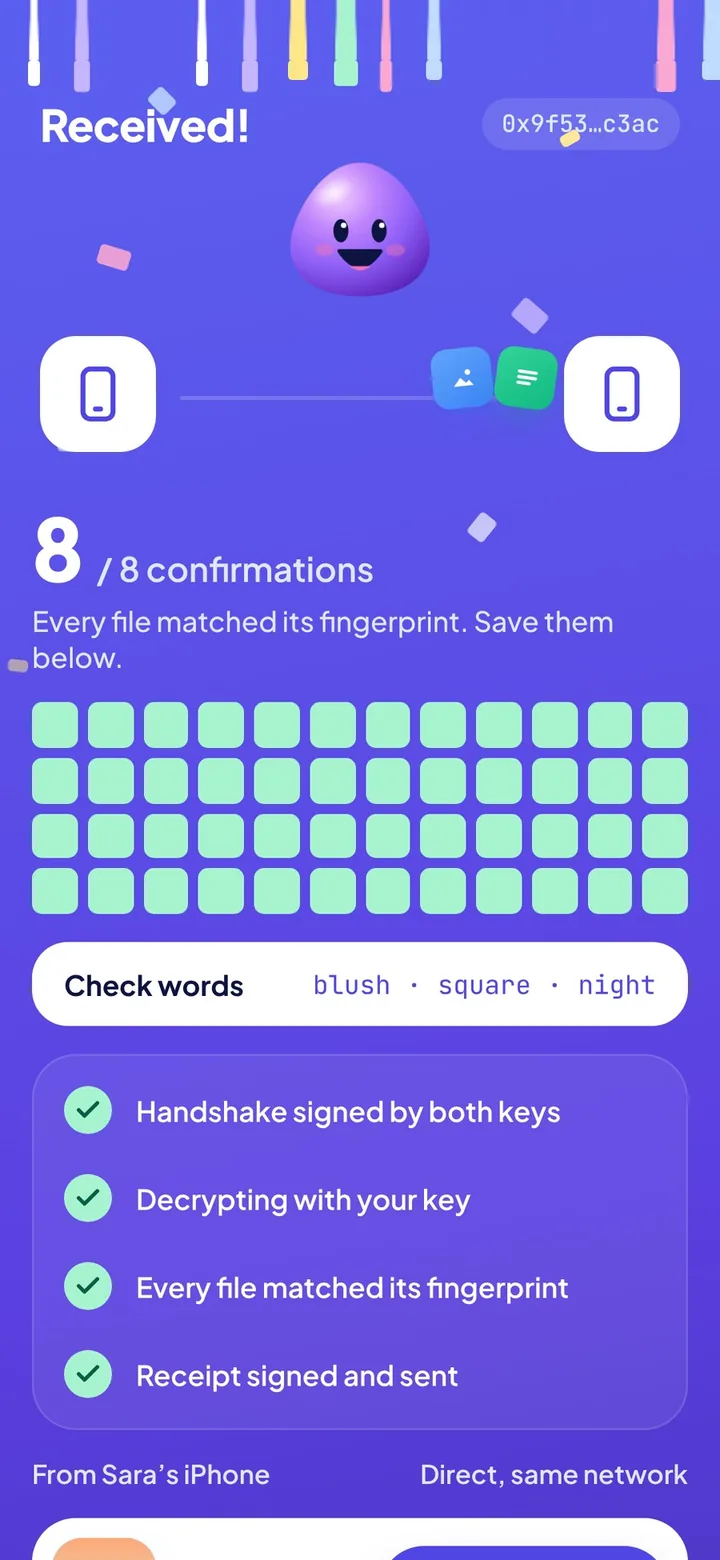
Save
Every file is checked as it lands and the sender gets a signed receipt. Save to Files, Photos or your downloads.
Why Relay
Straight between devices
Files go directly from one device to the other. If a network gets in the way, a secure server passes them on, still locked.
Nothing kept on a server
No uploads and no cloud copy. Your files, and even their names, never get stored anywhere but the two devices.
No account to hack
Twelve words are your identity. No email, no phone number and no password sitting in someone’s database.
Works across devices
An app for Android, and the web on iPhone, iPad, Mac and Windows. Send from any of them to any other.
Offline? It waits
Send to someone who’s away and your files wait on your device, encrypted, for up to 48 hours. When they tap Ready, they’re sent.
A receipt for everything
Every piece is confirmed and every file is checked. Your ledger keeps a record on your device, with £0.00 in fees, ever.
How Relay keeps your files safe
Nobody in the middle, including us, can read what you send. Here’s how, with the detail for anyone who wants it.
Your identity
Your 12 words create your keys on your device. Your address is your public key, so nobody can pretend to be you.
BIP39 (128-bit) → HKDF-SHA256 → Ed25519. Address: bech32m public key with checksum.A signed handshake
Both devices sign their connection details, so the server can’t slip itself in between. The three check words come from both keys.
Ed25519-signed offer and answer. Timestamp and random nonce stop replays.Encrypted transfer
Every transfer gets fresh one-time keys. Files are locked in small pieces, and each file must match its fingerprint when it lands.
X25519 → HKDF → AES-256-GCM, one key each way, inside WebRTC’s DTLS. SHA-256 per file, signed receipt.Locked on your device
Your words are locked with your PIN or Face ID. Your contacts, ledger and anything waiting to send are encrypted too.
PBKDF2-SHA256, 600,000 rounds, AES-256-GCM. Face ID via passkey (WebAuthn PRF).A server that knows very little
It introduces devices and counts daily totals. It never stores files or their names, and the notes it holds for people who are away are sealed so it can’t read them.
Sign-in by signature, no passwords. Secure-server passwords last 6 hours, for signed-in devices only.A locked-down app
No adverts, trackers or outside scripts. Everything the app runs comes from Relay itself, and notifications never say who or what.
Strict Content Security Policy. Self-hosted fonts. HTTPS only.What encryption can’t do
- Anyone with your 12 words can receive as you. Keep them offline.
- It can’t protect a phone that already has malware on it.
- The three words only stop impostors if you check them.
And to be clear
- The server sees your network (IP) address while you’re connected.
- Relay hasn’t had an independent security audit yet.
- It follows UK law, including the Online Safety Act. Read the Terms and Rules.
Get Relay
On a computer? Scan a code with your phone’s camera.
Install the app
- Tap Download for Android, or scan the code.
- Chrome may warn about the file. That’s normal for apps that aren’t from the Play Store yet, so tap Download anyway.
- Tap Open, allow Chrome to install it if asked, then Install.
Use it on the web
- Open Relay in Safari on iPhone or iPad, or any modern browser on a computer.
- On iPhone or iPad, tap Share, then Add to Home Screen. It then works like any other app, with notifications.
- On a computer, Chrome and Edge offer Install in the address bar.
Invite only while we test. Each tester gets a personal code that works once, on one device. No code? Open Relay, tap Request an invite and add a short note so we know who you are.
Testing Relay?
The tester guide covers installing, setting up and sending your first file. Tell us what broke, what confused you and what you loved.